SMART REVIEW BOARD
A revision plan that keeps your whole syllabus moving
Practice shows you what you got wrong. The review board makes sure you come back to it: your syllabus arrives preloaded, every spec point carries the date it is next due, and today’s plan cuts the list to the time you actually have.
TODAY'S PLAN
Say how long you have. Get that much to do.
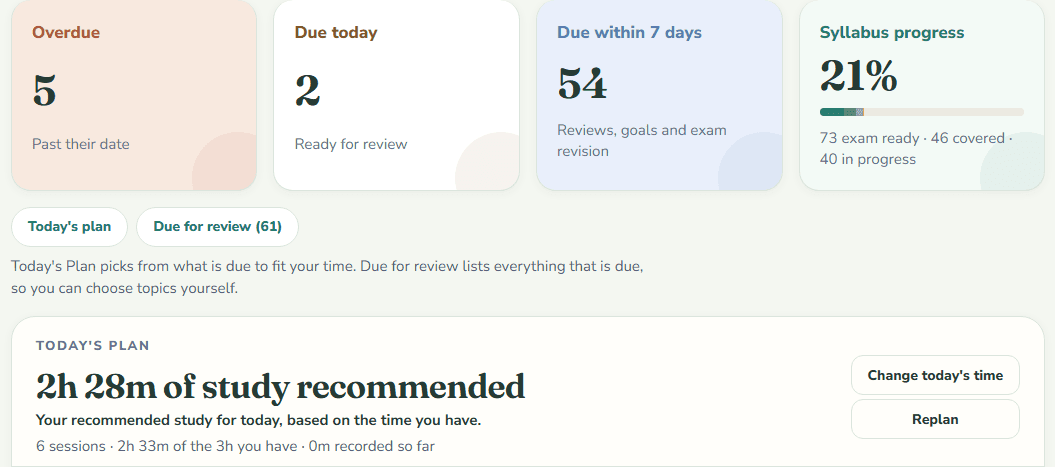
Everything due across your subjects — reviews, new material from your plans, tasks, papers — is ranked and then cut to the minutes you have today. Deadlines first, then the points your next exam covers, then what is most overdue. Related points are grouped into short sessions, and what does not fit is said out loud rather than quietly dropped.
- One budget for every subject, set day by day
- Finish it and the day is done — no catch-up gate
- Miss a day and tomorrow keeps the same minutes


REVIEW BOARD
And the whole queue behind it
The plan picks from the board; the board keeps everything. Every spec point carries the date it comes back, how long it is worth, and what asked for it — the review schedule, a finish plan, or an exam that covers it. Nothing falls off the syllabus because you forgot it was there.
- Reviews, goal work and exam revision in one queue
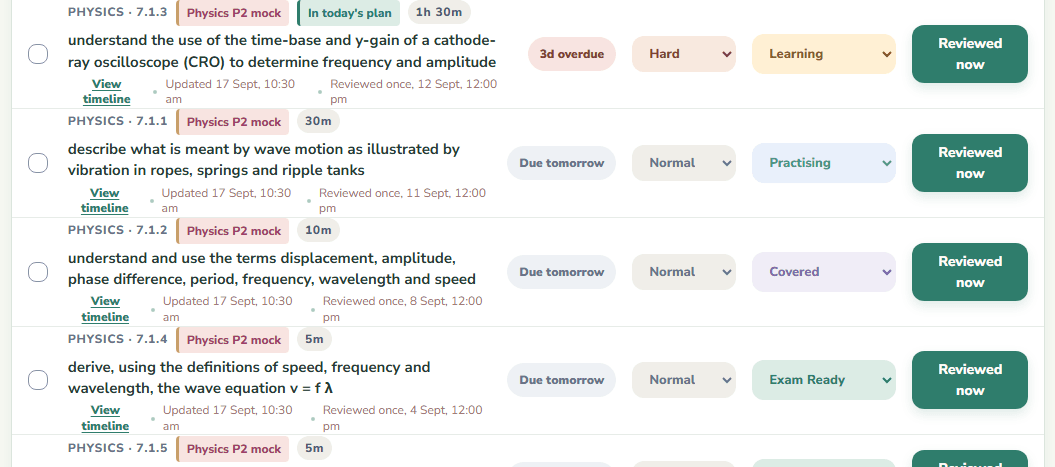
- Rate one hard and it comes back sooner; easy, and it waits
- Narrow it to one subject, or search the whole syllabus

PRELOADED SYLLABUSES
A percentage that actually means something
Your subjects arrive with the exam board's own chapters and spec points, in order. So 58% covered means 58% of the syllabus — not 58% of a list you wrote yourself.
- Cambridge, IB, Edexcel, AQA, OCR, AP and SPM
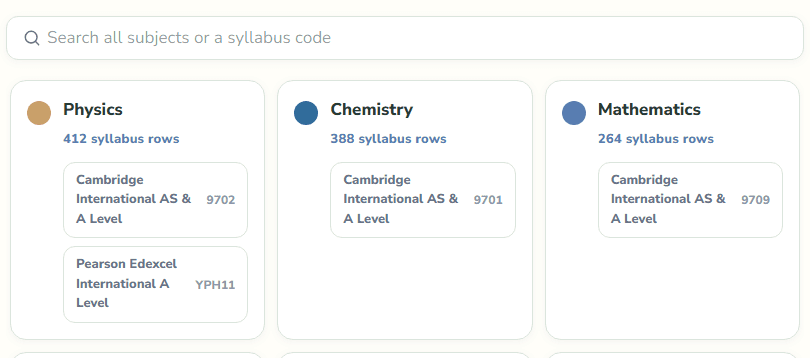
- Nothing to type in: pick the subject, get the syllabus
- Or bring your own by pasting an outline

THE LOOP
Set it up once. After that it is the same three moves.
Nobody starts by logging time. You start by saying what you study — and from then on it is the app holding the plan, not you.
Setuponce
Pick your subjectsThe syllabus comes with them: the exam board's own chapters and spec points, in order, already scheduled. This is the whole of the setup, and it takes about a minute.
Step 1
Open the boardOverdue first, then what is due today. The list was worked out before you got there, so the session starts with studying rather than with deciding what to study.
Step 2
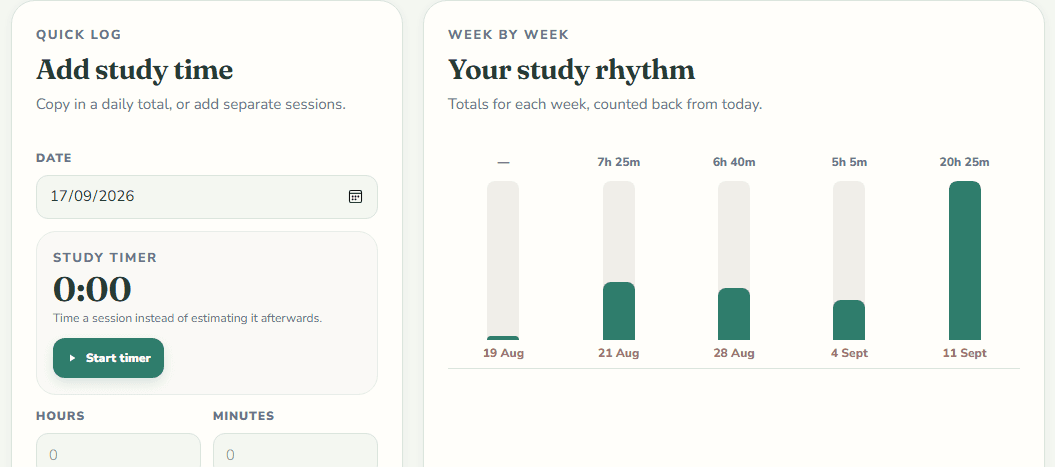
Log what you studiedThe minutes, and the spec points they covered. That one entry counts as the review as well — you are never recording the same work twice.
Step 3
Every point books its own next dateThe status you gave it sets how long it goes away for, and your syllabus percentage moves with it. Tomorrow's board is built by the time you close the tab.


Then it is step 1 again, on a board that has already counted what you did.
GOOD DEFAULTS, YOURS TO CHANGE
Set a status. The next review is scheduled from it.
These are the intervals a new account starts with — real gaps, not an illustration. Mark a topic hard and its review comes forward; mark one easy and it goes back. And the gaps are yours to set: tighten them for an exam three weeks out, or loosen them for a slow burn — each status by hand, or from an Intensive, Standard or Relaxed preset. Change it and everything you have studied is re-planned, without a thing turning overdue.
| Status | Means | Comes back in |
|---|---|---|
| Not Started | Untouched | Due now |
| Learning | First pass done | 3 days |
| Practising | Working through questions | 7 days |
| Covered | Content complete | 10 days |
| Exam Ready | Confident under exam conditions | 14 days |


SYLLABUS GOALS
Finish the syllabus before the exam, not after it
Give it your finish date. It spreads what is left across the days you actually study, puts a date on every point, and says so when your plans together ask for more of the week than you have.
- How much is left, and how far ahead or behind you are
- Chapter-by-chapter milestones between now and the date
- Every plan you have, totalled against your week


EXAM PLANNING
Walk into each paper knowing you covered it
A mock in three weeks covers chapters 1 to 6, not the course. Tick what it includes and the run-up is built around that — and from 45 days out, the points on that paper are the first thing today's plan hands you.
- A countdown, and how ready you are against it
- The work still to do, spread over the whole run-up
- Every due row the paper covers carries the exam's name

WHERE IT SITS
Keep what you study from. Momentum decides what needs studying.
It is not a replacement for your textbook or your teacher’s slides. It is the layer above them — the one that says which to open tonight, puts what your last paper got wrong back in the queue, and hands you the past-paper questions on it.
| What it does | A planner or calendar | A revision-notes site | Momentum |
|---|---|---|---|
| Your exam board's syllabus, loaded for you | You type it in | To read | To revise, with dates |
| Schedules individual spec points | No | Not usually | Yes |
| Brings a topic back on its own | No | Sometimes | Yes |
| Cuts the day's work to the time you have | You do that | No | Yes |
| Plans a mock covering only part of the course | Not usually | Not usually | Yes |
| Ties a lost mark to the spec point behind it | No | Not usually | Yes |
| Rates a paper by where its boundaries landed | No | No | Yes |
| Logging your hours moves the plan | No | No | Yes |
| Notes and videos | No | Yes | Bring your own |
| Past-paper questions by chapter, with their mark schemes | No | Sometimes | Yes |
Questions about the planner
How does the scheduling work?
It is deterministic, not a guess. Each status carries an interval — the sensible default, or a gap you set yourself, from a preset or one status at a time — a rating you give a topic stretches or shortens it, and a finish date or exam spreads the outstanding work across the days you said you study. Today's plan then takes what is due and cuts it to the minutes you have. The app shows you the rule it is following at every step.
Do I have to type my syllabus in?
No. Most subjects arrive with their full official structure already loaded — every chapter and spec point, in order. Anything without one can take a pasted outline or a CSV, and can be imported later.
Is my data private?
Yes. Every account is fully isolated — separate data, enforced in the application layer and again by database row-level security.
Open the app. Work the list.
About a minute to set up. Pick your subjects, and the syllabus loads itself.
Free. No card, no trial, no limits.